Hello Everyone,
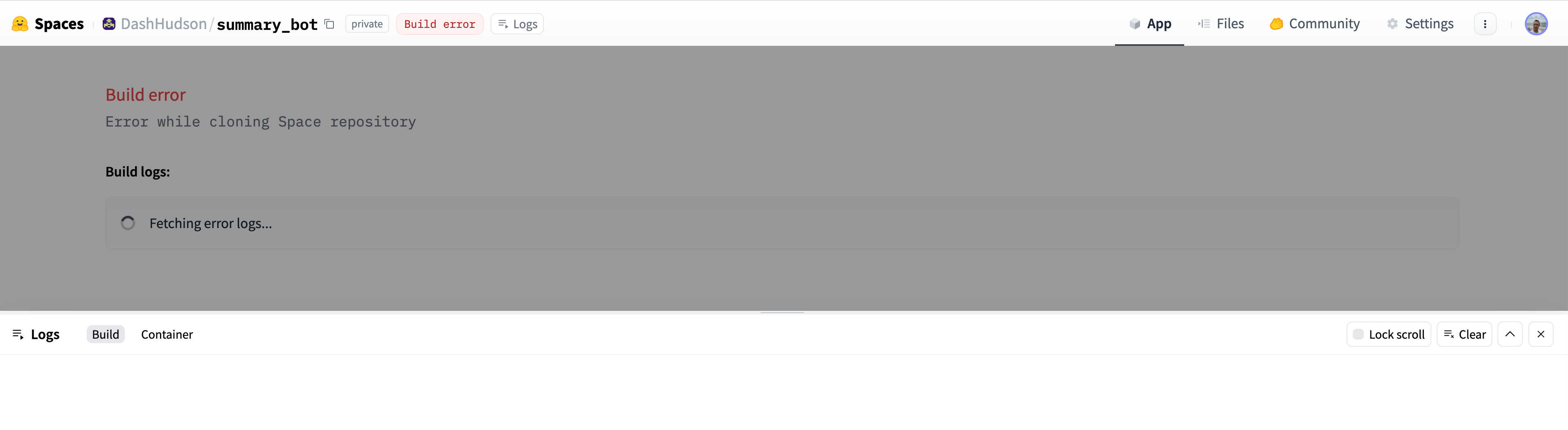
The following build error appears when I open my space app. How to fix this?
Thanks,
Build error
Error while cloning Space repository
Build logs:

Step 1/29 : ARG PYTHON_VERSION
Step 2/29 : FROM python:${PYTHON_VERSION}
 ---> dd4ac8dff24c
Step 3/29 : RUN apt-get update && apt-get install -y git-lfs
 ---> Using cache
 ---> 8df2f50f96b4
Step 4/29 : RUN git lfs install
 ---> Using cache
 ---> d1c1c68c631a
Step 5/29 : COPY packages.txt /root/packages.txt
 ---> Using cache
 ---> eca743e9a09e
Step 6/29 : RUN apt-get update && xargs -r -a /root/packages.txt apt-get install -y
 ---> Using cache
 ---> 9346ca2cdf77
Step 7/29 : RUN useradd -m user
 ---> Using cache
 ---> 5af76232ed9a
Step 8/29 : USER user
 ---> Using cache
 ---> e369c2ca9971
Step 9/29 : ENV HOME /home/user
 ---> Using cache
 ---> 1bdf8ca58d6f
Step 10/29 : ENV PATH $HOME/.local/bin:$PATH
 ---> Using cache
 ---> e9e1ace0d870
Step 11/29 : WORKDIR $HOME
 ---> Using cache
 ---> eb8a8b54111a
Step 12/29 : RUN mkdir app
 ---> Using cache
 ---> 4c0f270956bf
Step 13/29 : WORKDIR $HOME/app
 ---> Using cache
 ---> 2d523e277334
Step 14/29 : ARG PIP_VERSION=22.0.2
 ---> Using cache
 ---> 1893f6612976
Step 15/29 : RUN pip install pip==${PIP_VERSION}
 ---> Using cache
 ---> 9e9697ac2f08
Step 16/29 : RUN pip install         datasets         huggingface-hub
 ---> Using cache
 ---> d4a8da8b0789
Step 17/29 : COPY requirements.txt $HOME/app/requirements.txt
 ---> Using cache
 ---> 66a24dc457b7
Step 18/29 : RUN pip install -r requirements.txt
 ---> Using cache
 ---> b63e609dd6bd
Step 19/29 : ARG STREAMLIT_VERSION
 ---> Using cache
 ---> 973b762a04fb
Step 20/29 : ARG GRADIO_VERSION
 ---> Using cache
 ---> 4bde5729320a
Step 21/29 : RUN pip install         streamlit==${STREAMLIT_VERSION}         gradio==${GRADIO_VERSION}
 ---> Using cache
 ---> 7f19c691bc9b
Step 22/29 : COPY --chown=user ./ $HOME/app
 ---> de449e5cb2ef
Step 23/29 : ENV PYTHONPATH $HOME/app
 ---> Running in 94d0ff64db06
Removing intermediate container 94d0ff64db06
 ---> 2c2df78bf75b
Step 24/29 : ENV PYTHONUNBUFFERED 1
 ---> Running in 8d67d4b422e9
Removing intermediate container 8d67d4b422e9
 ---> 1a4e761c0dc0
Step 25/29 : ENV GRADIO_ALLOW_FLAGGING never
 ---> Running in 1bf353583203
Removing intermediate container 1bf353583203
 ---> 6c3fc939dcb0
Step 26/29 : ENV GRADIO_NUM_PORTS 1
 ---> Running in 450dfb07e72e
Removing intermediate container 450dfb07e72e
 ---> 4e312892faf2
Step 27/29 : ENV GRADIO_SERVER_NAME 0.0.0.0
 ---> Running in 916703fabe20
Removing intermediate container 916703fabe20
 ---> 5185fd571c0c
Step 28/29 : ENV GRADIO_THEME huggingface
 ---> Running in 14d471c3fd1b
Removing intermediate container 14d471c3fd1b
 ---> 034cc6ffcef5
Step 29/29 : ENV SYSTEM spaces
 ---> Running in 99534e1b6b8c
Removing intermediate container 99534e1b6b8c
 ---> 5005c44d5e3a
Successfully built 5005c44d5e3a
Successfully tagged space-cpu-alowasawsan/third-molar-segmentation-67641f9717238d3b61e35ea828e4265718ce8f47:latest